AI & automation
Less handling. More useful work.
MedVault only uses AI when the person says so.
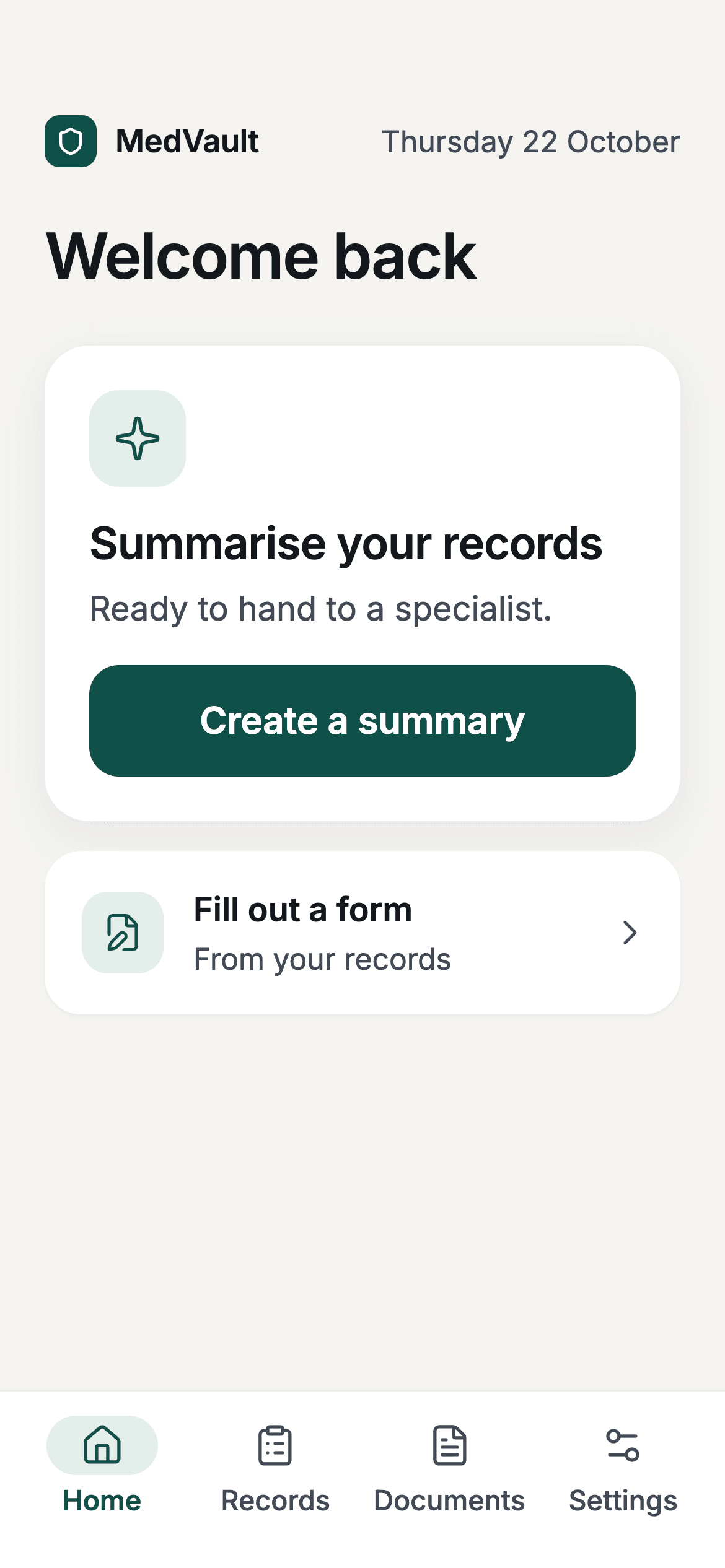
They ask for it.
A summary only starts when the person taps Create a summary.
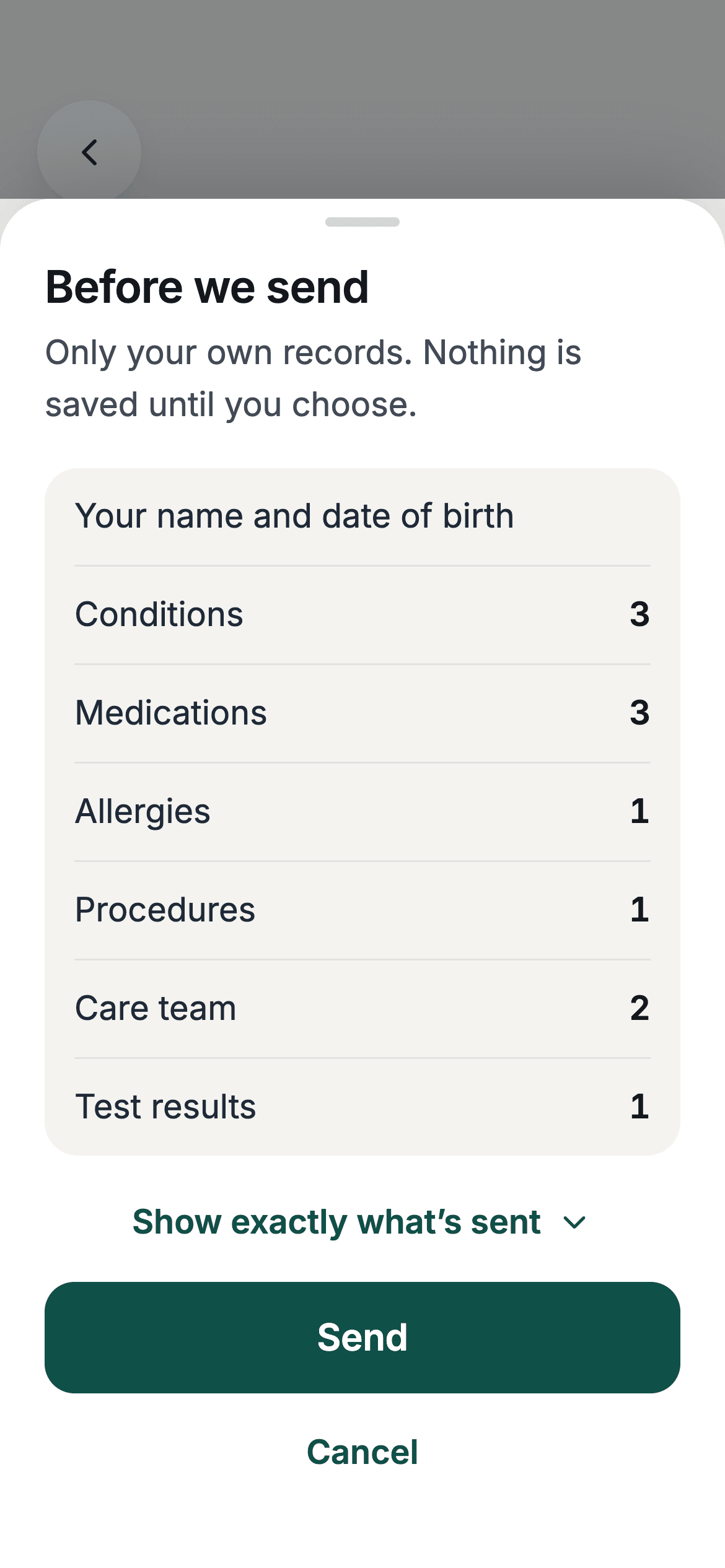
It shows what will be sent.
Before anything leaves the phone, MedVault lists the records it will send. Nothing else goes.
Nothing moves until they say yes.
Send or cancel. Records go to Claude through AWS Bedrock and aren’t used to train models.
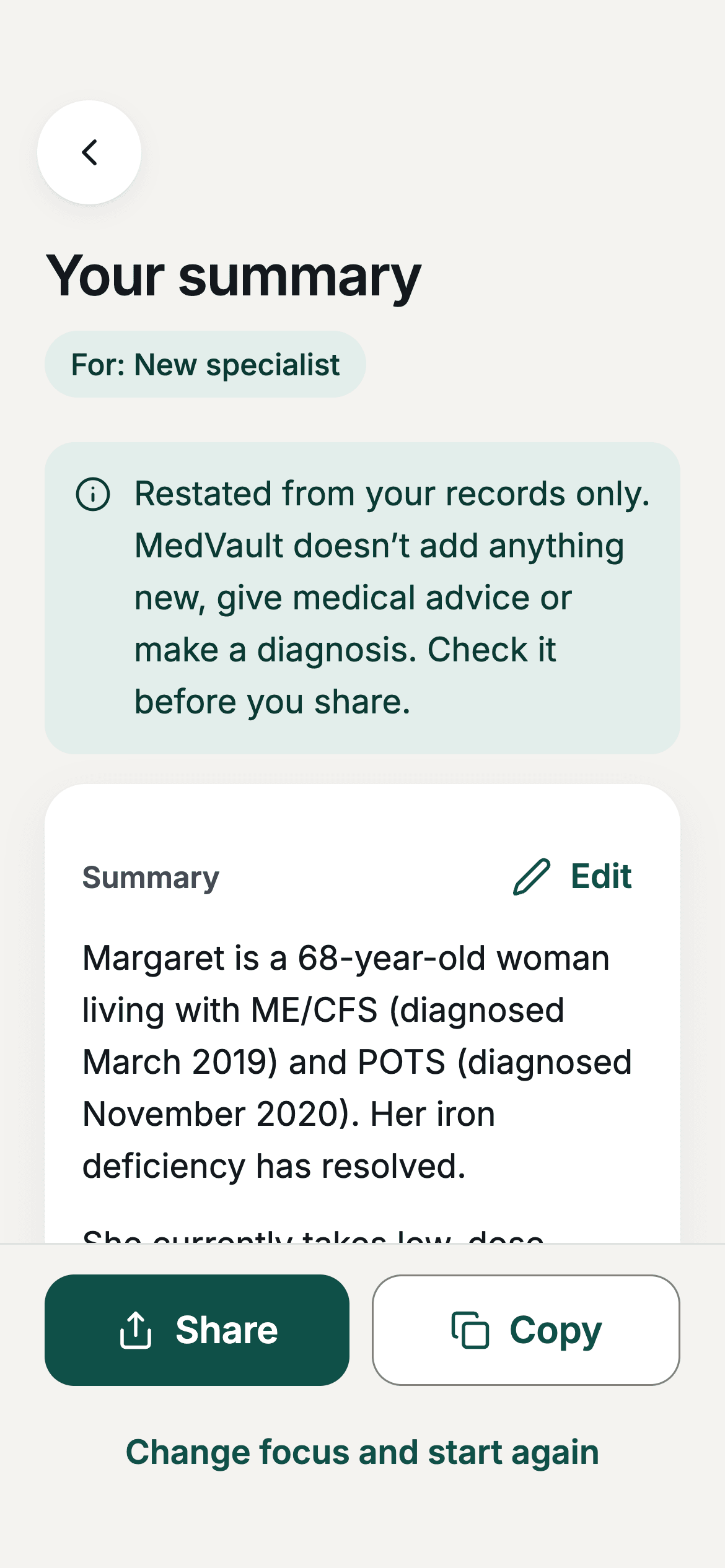
They check the result.
The summary comes back for review and can be edited. Nothing is saved or shared until they choose.
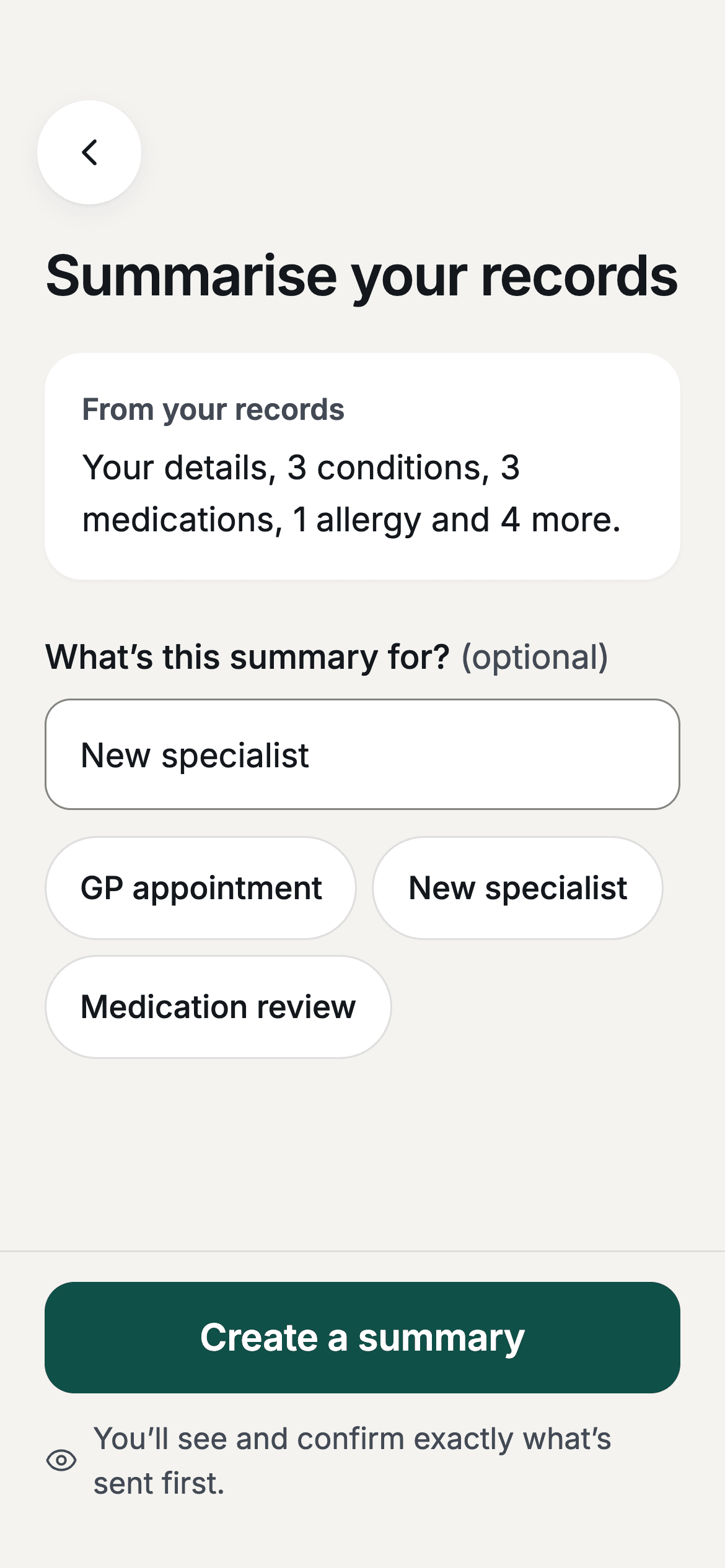
And decide where it goes.
Copy it into a form or read it out at an appointment. It stays on the device until they share it.
And when nobody’s watching.
Our Cliniko sync keeps a clinic’s patients and bookings in step with its CRM, with no copying by hand.
View the case study- ClinikoChecked every 30 seconds
- CompareOnly real changes move on
- QueueNothing is dropped
- SendPatients first, inside API limits
- Flow Channels CRMCancelled bookings removed
A failed send goes back in the queue and is tried again, up to five times.
How the sync behaves, shown with example records.
A clear scope.
A working handover.
How we work out pricingMap the boundaries
Agree the trigger, data access, destination and what the system is allowed to do. Define where a person must review.
Test the exceptions
Try representative examples, incomplete inputs and failed connections. Review results together before switching on the workflow.
Keep it maintainable
Handover covers configuration, monitoring and recovery steps. Usage costs and maintenance responsibilities are agreed separately.
Before we get started.
Does this need AI?
Often it does not. If the input and rules are predictable, straightforward automation is easier to test and operate. We consider AI for variable text or documents when it adds value to a defined task.
What data and system access do you need?
We identify the minimum permissions and sample data needed for the workflow. Sensitive information, provider handling and retention are discussed before any processing is enabled.
Can a person review the result first?
Yes. We can require review before an external action or record update, and route uncertain results to a person. The approval boundaries are part of the scope, not an assumption that the model is always right.
What happens when something fails?
We plan validation, error reporting and safe retry behaviour around the workflow. Failed or uncertain items can be held for manual handling, with safeguards against repeating actions.
What are the running costs?
Costs can include AI usage, connected software, hosting and monitoring. We estimate these from expected volume and agree limits where the providers support them. They are separate from the build quote.
Will it need maintenance?
Yes, integrations can change and AI outputs need checking as inputs evolve. We agree who monitors the workflow and can scope ongoing maintenance, updates and periodic reviews.
Which repetitive task would you hand over?
Tell Joe and Hayden what you have in mind, who it is for and what needs to work. We’ll help you find a useful starting point.
Discuss your workflowStart with the work you need to improve.
Replace an Excel, Google Sheets or Airtable workflow with shared records, permissions and a custom web app built around your team.
Client portals and booking systems with accounts, shared records, enrolments and payments. See Caribeae’s custom swim school management system.
Connect Cliniko, Xero, Stripe and your CRM through a scoped API integration. See our Cliniko to Flow Channels sync and plan your workflow.